

What Eyk builds from this data
Eyk copies your orders, products and customers into your own BigQuery project. BigQuery is the data warehouse Eyk sets up for you. Data from all your stores lands in the same tables, so you can compare stores side by side.
In Canvas and Alvin AI, these tables show up as Sales, Product Variants, Customers and Attributions. Attribution needs Eyk’s first-party tracking on your website. Eyk builds the RFM tables when RFM segmentation is on for your organization.
Connect an ad platform too, to see your return on ad spend and your profit after ad spend next to your sales. To open your BigQuery project, click Google BigQuery at the bottom of the Eyk sidebar.
Before you start
You need:- The address, port, name, username and password of your Magento MySQL database. Your hosting provider has these details.
- Access to the Sources page in Eyk.
Part 1: Give Eyk access to your database
1
Whitelist the Eyk IP address
Add
34.34.83.121 to the IP addresses that may connect to your MySQL database. Whitelisting means your database only accepts connections from the addresses on its list. Do this in the control panel of your hosting provider or in your server’s firewall.If you cannot whitelist an IP address, Eyk connects over an SSH tunnel instead. Follow Magento SSH access.
Part 2: Add the source in Eyk
1
Open the source library
In Eyk, go to Sources and click Add new source.
2
Select Magento 2
In the Data source library, click Add next to Magento 2.
3
Enter your database details
Enter your database details under Database host address, Database host port, Database name, Database username and Database password.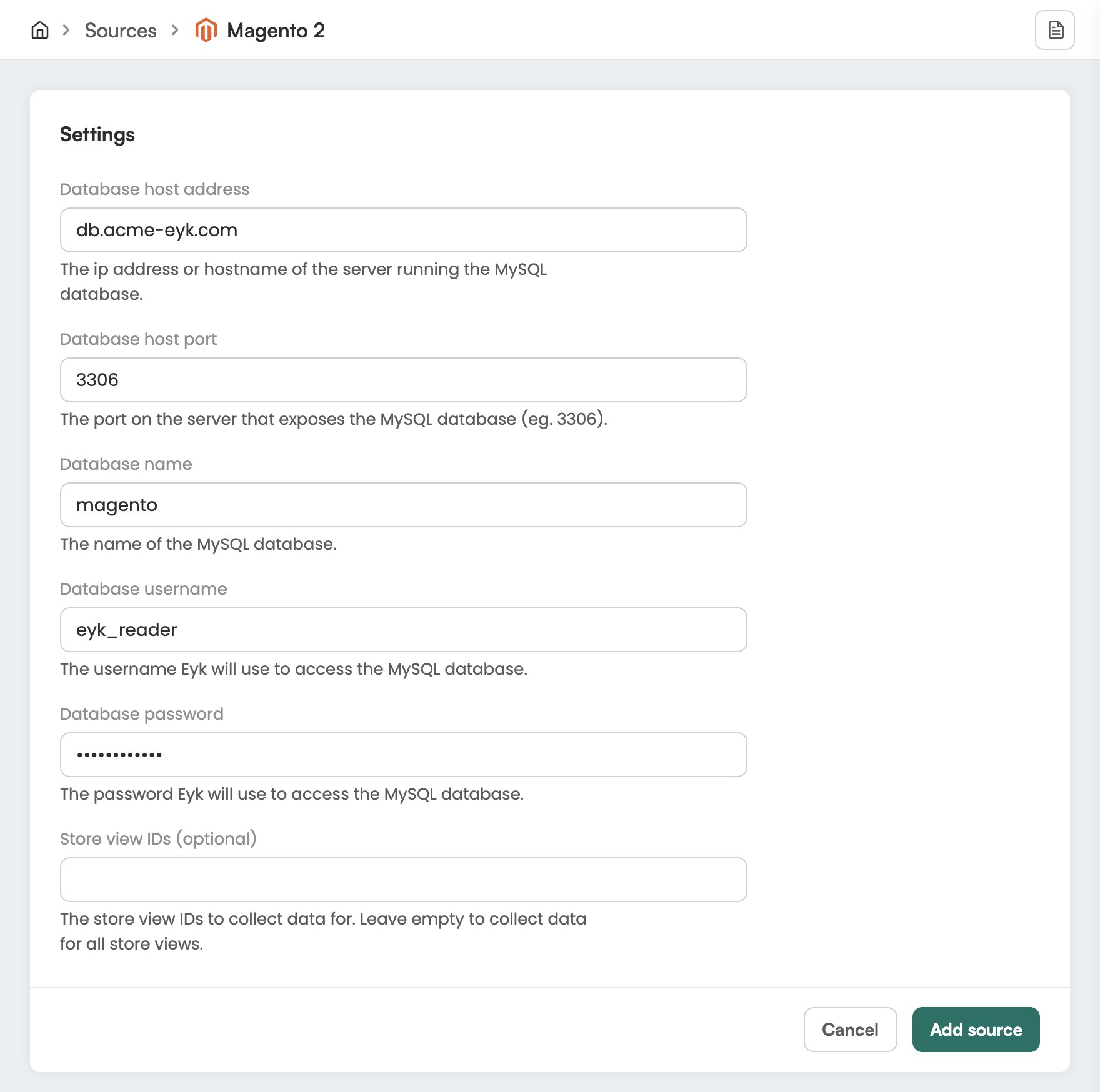
4
Choose store views
To collect data for some store views only, enter their IDs under Store view IDs (optional). Leave it empty to collect data for all store views.
5
Add the source
Click Add source.
Check it worked
In Eyk, go to Sources. Magento 2 is in the list with the text Your data source is connected. Eyk updates your BigQuery tables every night.Troubleshooting
Eyk could not connect to the MySQL database
Eyk could not connect to the MySQL database
Check that
34.34.83.121 is on the whitelist of your database. Then check the database address, port, name, username and password in the Magento 2 source in Eyk.