

Before you start
You need:- Access to Pinterest Ads Manager for your ad account.
- Access to the Tracking page in Eyk.
Part 1: Get your details from Pinterest
1
Open Conversions
Go to Pinterest Ads Manager, open the menu in the top-left corner and click Conversions.
2
Copy the tag ID
Click Tag manager in the left menu. Copy the tag ID of your Pinterest tag. It is the number shown with the tag. You need it in Part 2.
3
Open the API setup
Click Set Up API in the left menu.
4
Generate an access token
Click Generate new token and copy the token. You need it in Part 2. Store it somewhere safe. If you lose it, generate a new token.
5
Copy the ad account ID
Copy the ad account ID shown next to your account name. You need it in Part 2. The same ID also appears in the address bar of Pinterest Ads Manager.
Part 2: Add the destination in Eyk
1
Add a destination
In Eyk, go to Tracking and click + Add destination.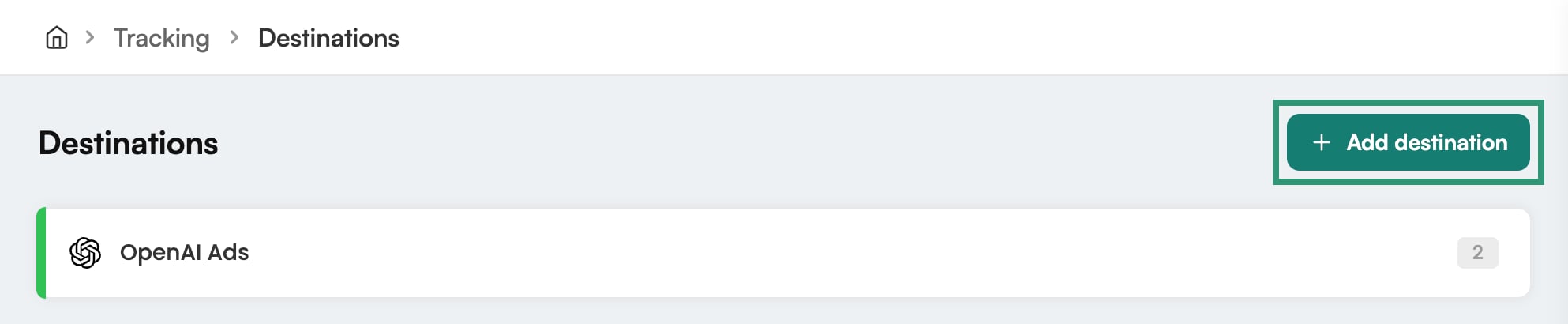
2
Select Pinterest
In the Destination library, click Add next to Pinterest.
3
Select your stores
Under Stores, select the stores that send events to Pinterest.
4
Enter your Pinterest details
Enter the Tag ID, Ad Account ID and Conversion Access Token from Part 1.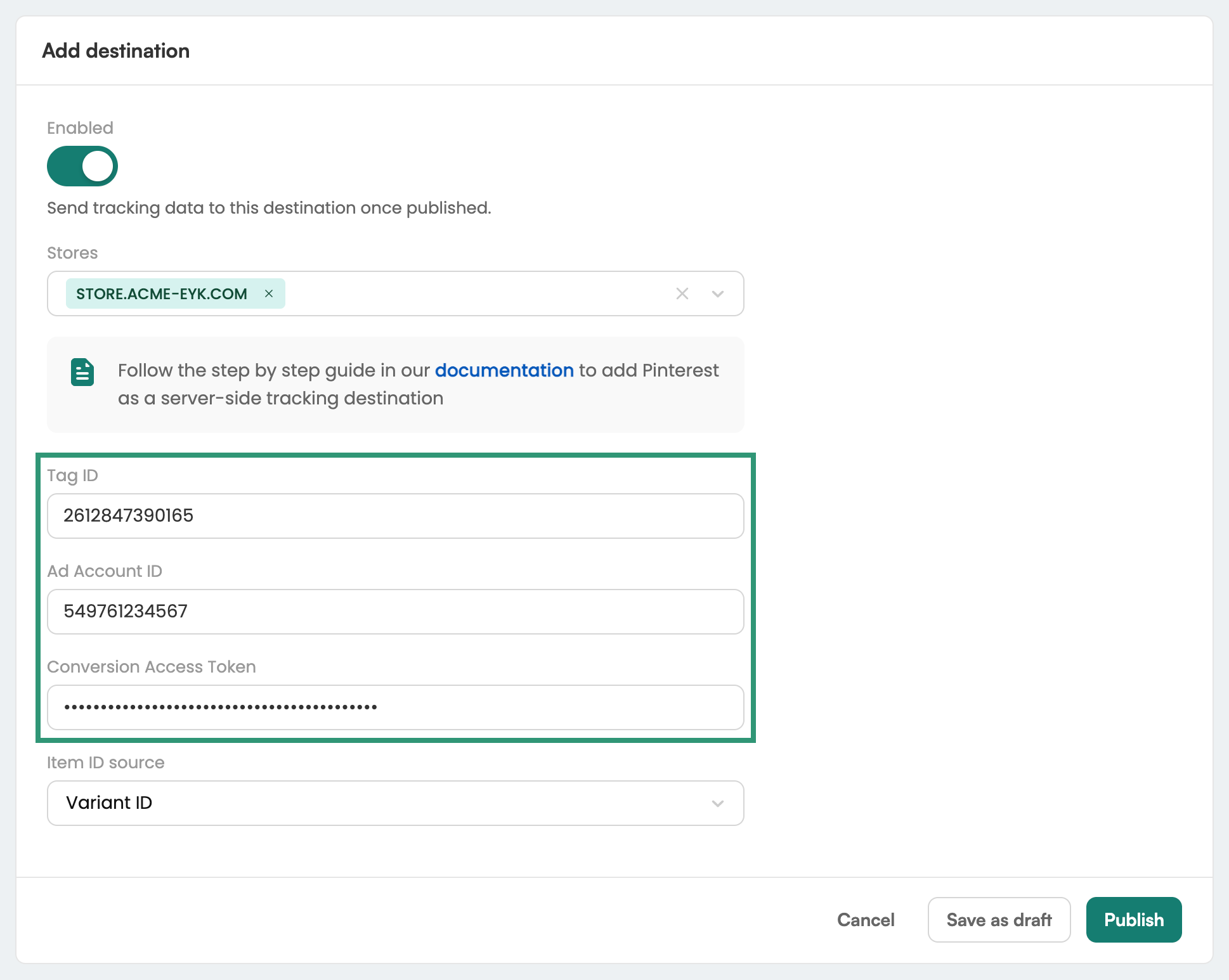
5
Select an Item ID source
Select an Item ID source. It determines which product identifier Eyk reports to Pinterest. If you have an active product catalog in Pinterest, use the same identifier type as that catalog.
6
Publish the destination
Click Publish. Eyk starts sending events to Pinterest right away.