

The Returnista source is currently in beta. Ask your Eyk contact person for access.
What Eyk builds from this data
Eyk copies what happens after checkout into your own BigQuery project: shipments, returns and stock. BigQuery is the data warehouse Eyk sets up for you. Data from all your warehouses and returns platforms lands in the same tables.
In Canvas and Alvin AI, these tables show up as Returns, Logistics, Stock and Stock Locations. Eyk links each return and shipment to its order from your store platform, so connect that too. To open your BigQuery project, click Google BigQuery at the bottom of the Eyk sidebar.
Returnista sends returns only, so it fills
fact_return_items.
Before you start
You need:- The Account admin role in the Returnista Merchant App.
- Access to the Sources page in Eyk.
Part 1: Get your Account ID and API key from Returnista
1
Open Account settings
In the Returnista Merchant App, open Account settings.
2
Copy your Account ID
Copy the Account ID from the account overview. You need it in Part 2.
3
Create an API key
Open the API keys tab and click Create API key.
4
Copy the API key
Copy the key right away. You need it in Part 2.
Part 2: Add the source in Eyk
1
Open the source library
In Eyk, go to Sources and click Add new source.
2
Select Returnista
In the Data source library, click Add next to Returnista.
3
Enter your account details
Enter the Account ID under Account ID and the key under API key.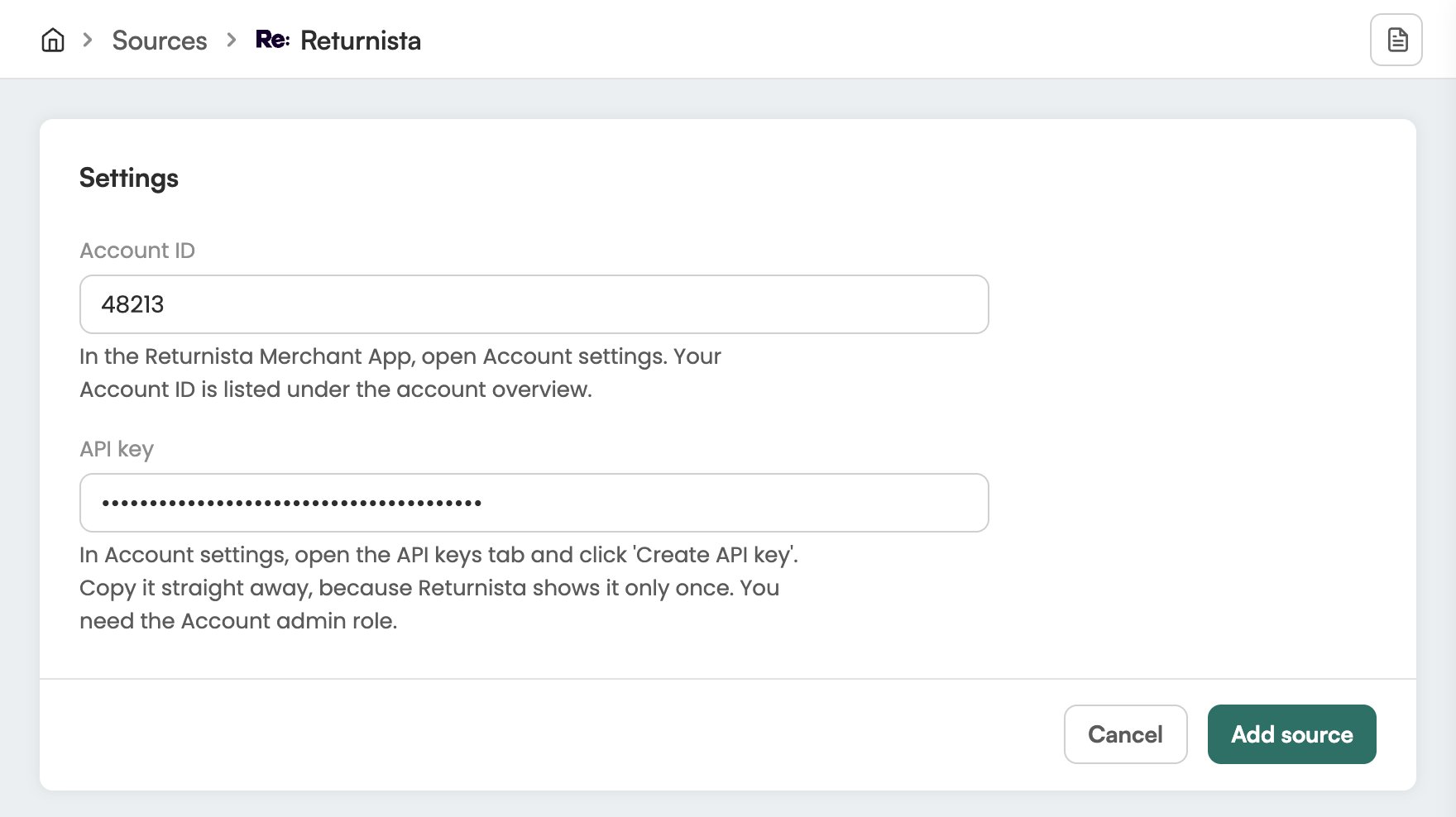
4
Add the source
Click Add source.
Check it worked
In Eyk, go to Sources. Returnista is in the list with the text Your data source is connected. Eyk updates your BigQuery tables every night.Troubleshooting
Returnista shows Attention needed
Returnista shows Attention needed
Open the Returnista source in Eyk and check the Account ID and API key. If the key no longer works, create a new key in Returnista and enter it there.